Hours
A time tracker for my consultancy where logging hours is mostly confirming: narrow the week to what you worked on, and let git history and the calendar propose the entries.
- Role
- Built for Botline
- Year
- 2026
- Stack
- Next.js, Postgres, Claude Code, Claude Design, Microsoft Graph
Botline, my consultancy, needed somewhere to log hours on client projects, plus a restricted view where clients can see their own. I have used a few time trackers before, SAP at Ørsted among them: an ancient system where the end of every week went to piecing the days back together by hand.
Hours is my first genuinely useful, fully vibe-coded app. It took about ten hours to a fully working MVP, then a bit of polish. The screenshots on this page run the real app against invented demo data: every client, person and hour in them is made up.
The grid is the problem
The build went roughly in order: a design palette I was happy with, in a form I could reuse (it has since grown into Evergreen, Botline’s design system); then shaping what the app should actually do; then the screen where you register time. That screen is a grid, projects down the side and days across the top, and building it is how I found out that the grid itself is the root of all evil. It is overwhelming. You sit there working out which box a number belongs in before you have even remembered the number.
So the goal changed. Not a nicer grid, but one that gets filled in for you.
Narrow the view first
Before there is any grid, Hours asks what you worked on: which clients were active, then which of their projects, and optionally which milestones. From that it builds a week with only those lines in it, instead of an endless spreadsheet.
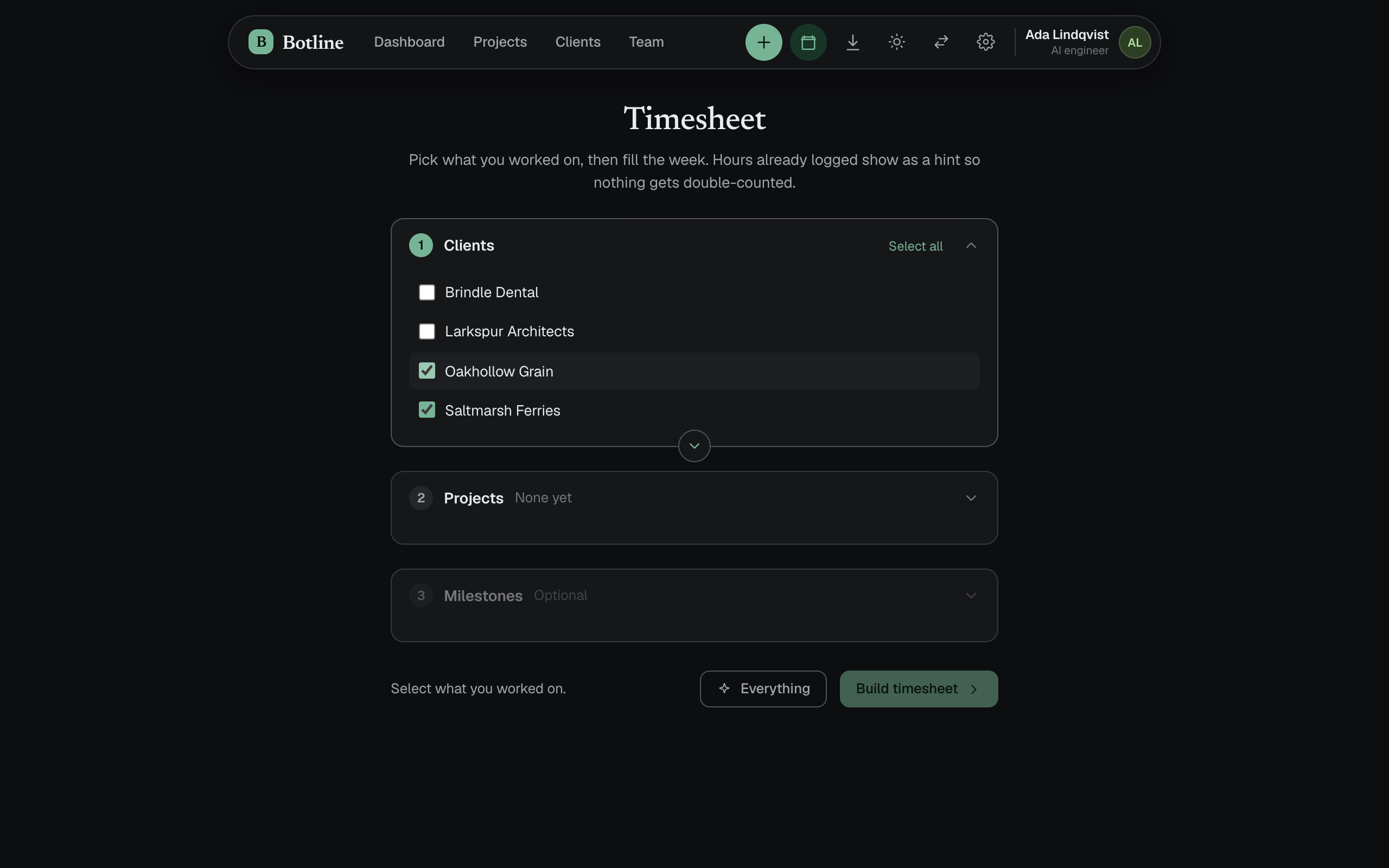
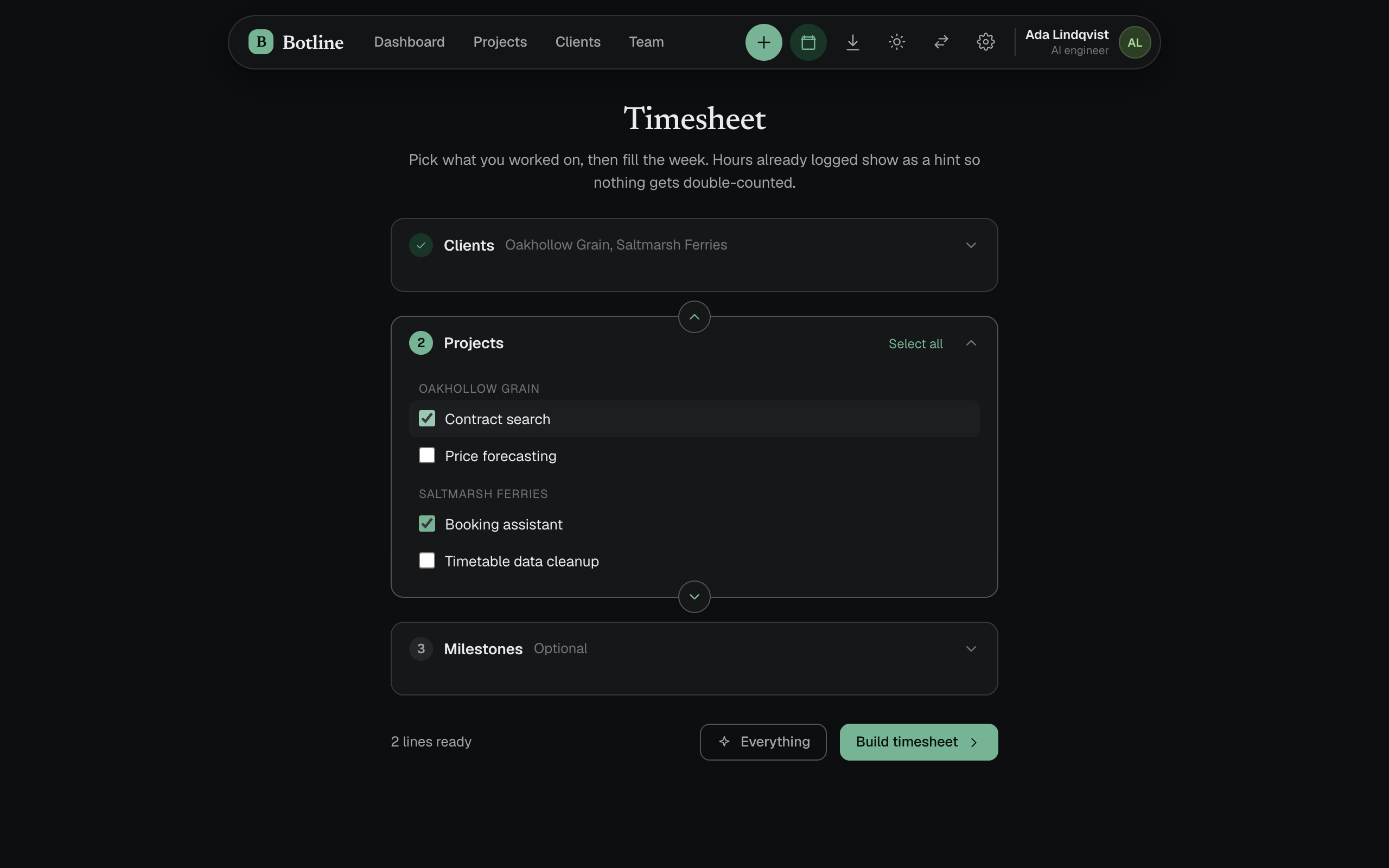
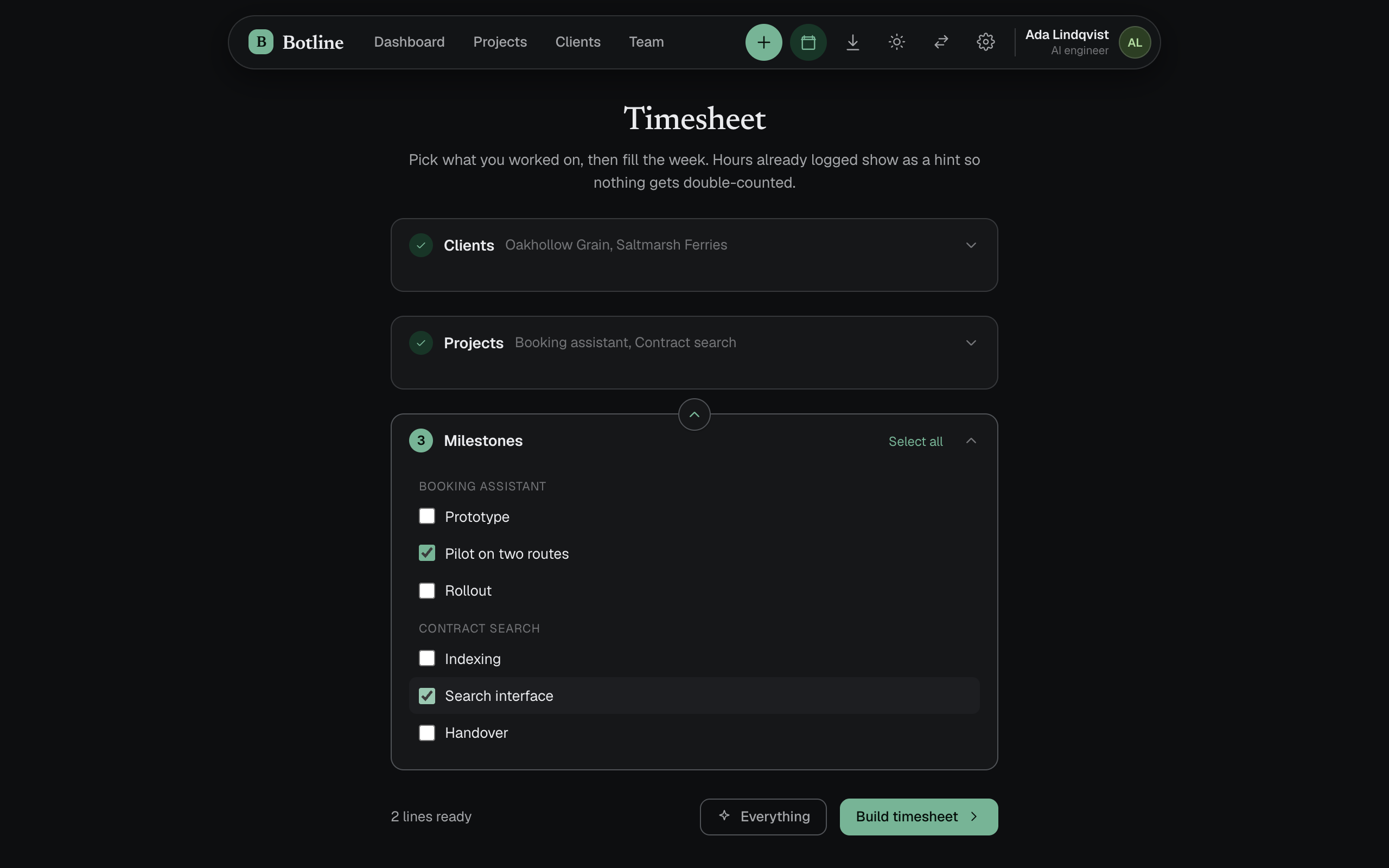
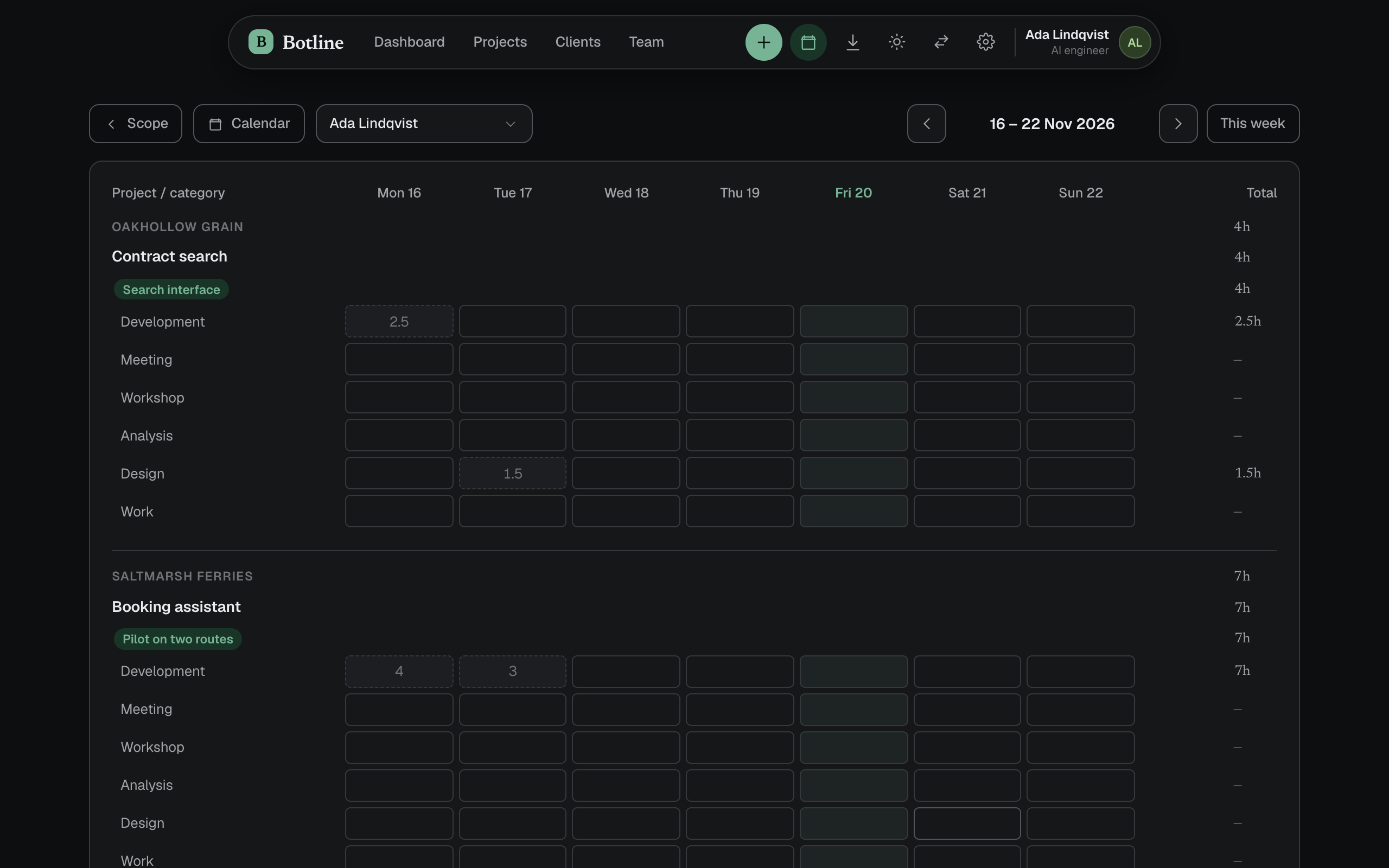
The timesheet in the app’s dark theme. Pick clients, then projects, then milestones, and the week is built with only those lines. Faint numbers are hours already logged, so nothing is counted twice.
Then let the work propose itself
Two things fill in the boxes now.
We mostly do development, so a Claude Code plugin was a must. Claude pieces the day together from the traces it left, its own session logs for when I worked and the git history for what got done, and logs it from the terminal with a note on what was actually done in those hours, so there is a record beyond “Task X”. It is already a huge help.
The other reads the Outlook calendar. A meeting with people from a client’s email domain turns into a suggested entry for that client, placed in the box it belongs in. When the subject names a project, or the client only has one, the suggestion is clear. When the client has several, Hours asks instead of guessing.
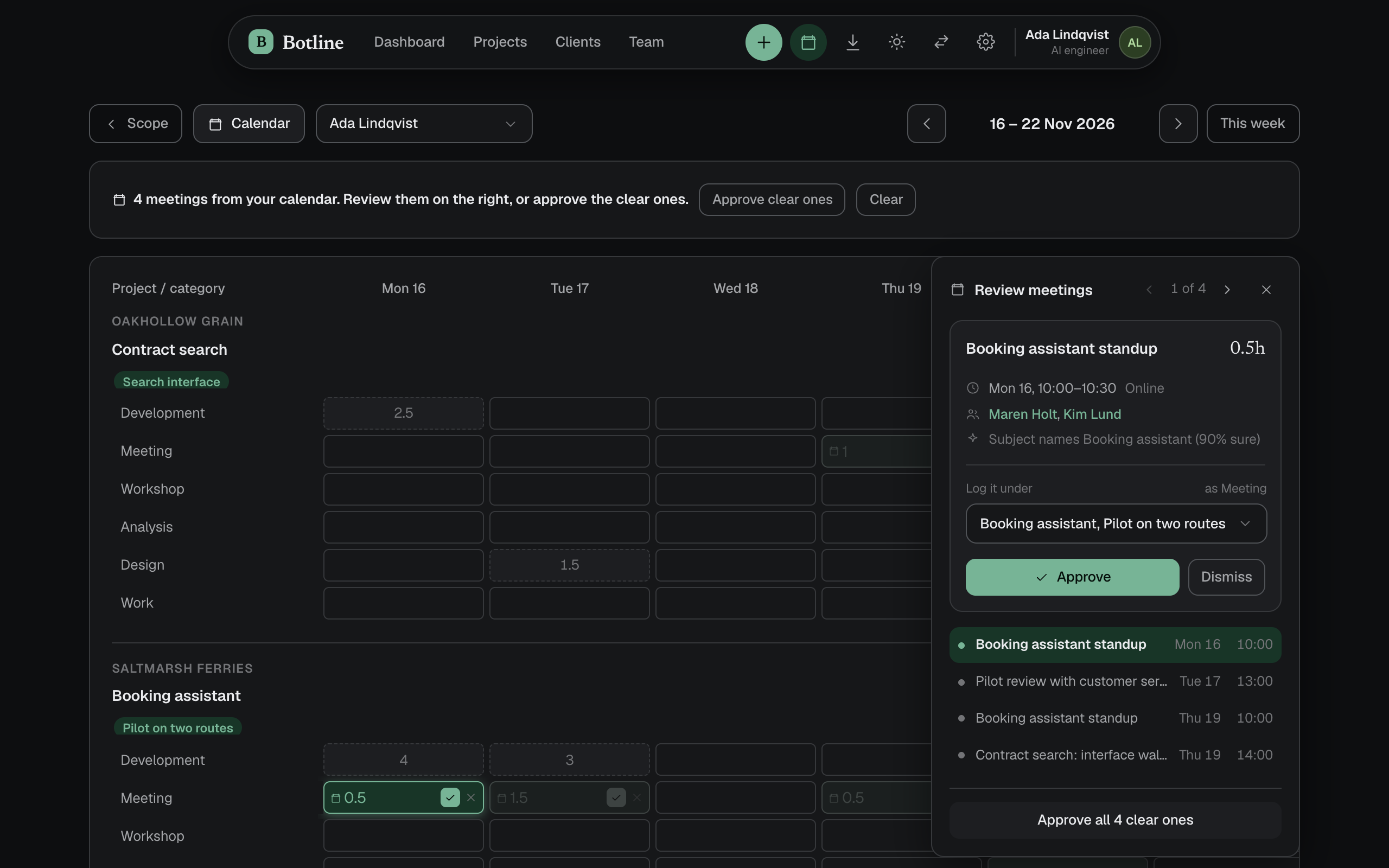
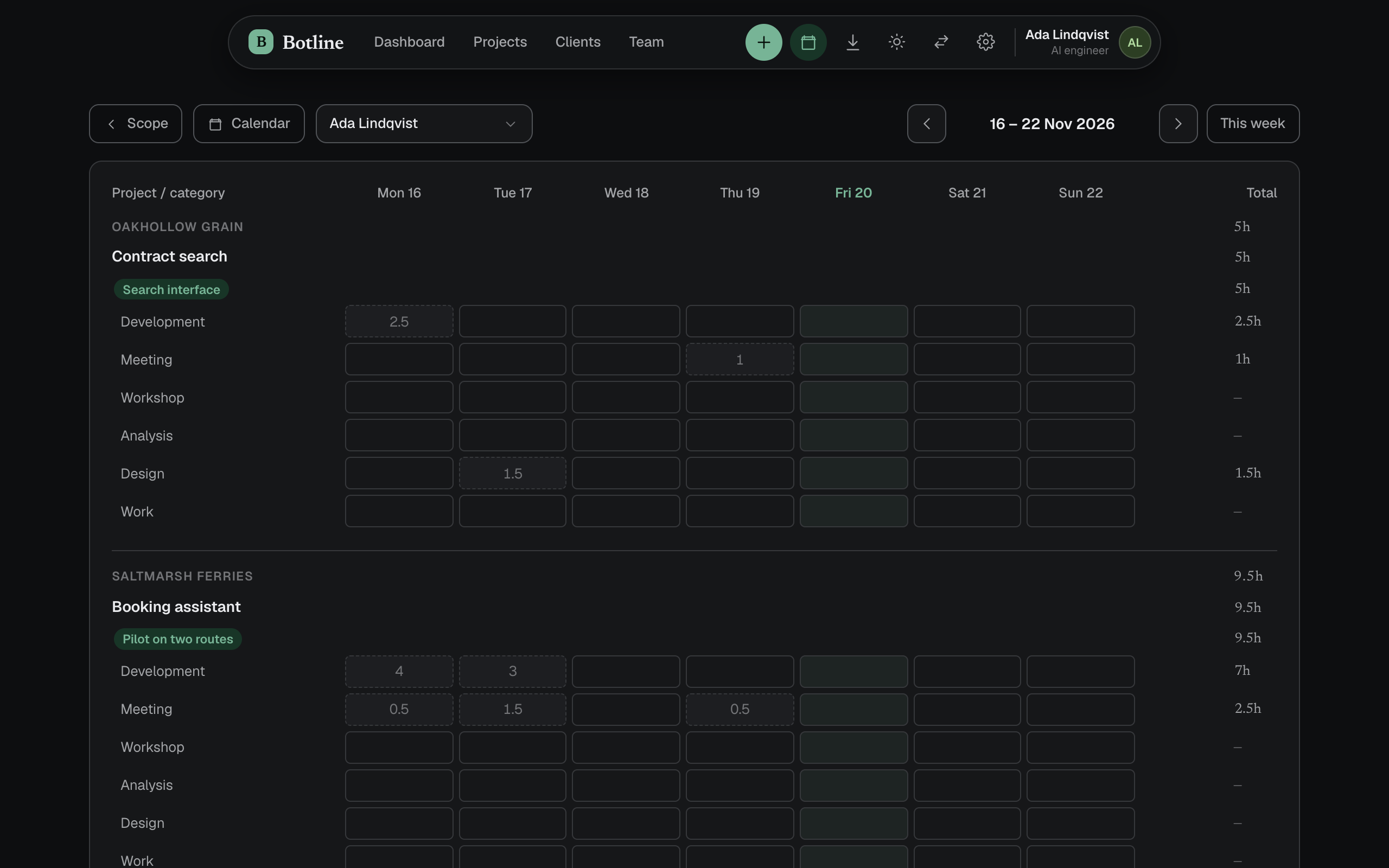
A week of invented calendar events, each waiting in its cell. Approve them one by one or all the clear ones at once. Here a fixture file stands in for Outlook; the matching and the screens are the real app.
What is left for you is confirming.
What the client sees
Clients are invited to a portal that only shows their own projects: hours against each milestone, the split across kinds of work, and a daily log. Open a day and the notes are there, so the record Claude wrote from the git history doubles as the client’s work log.
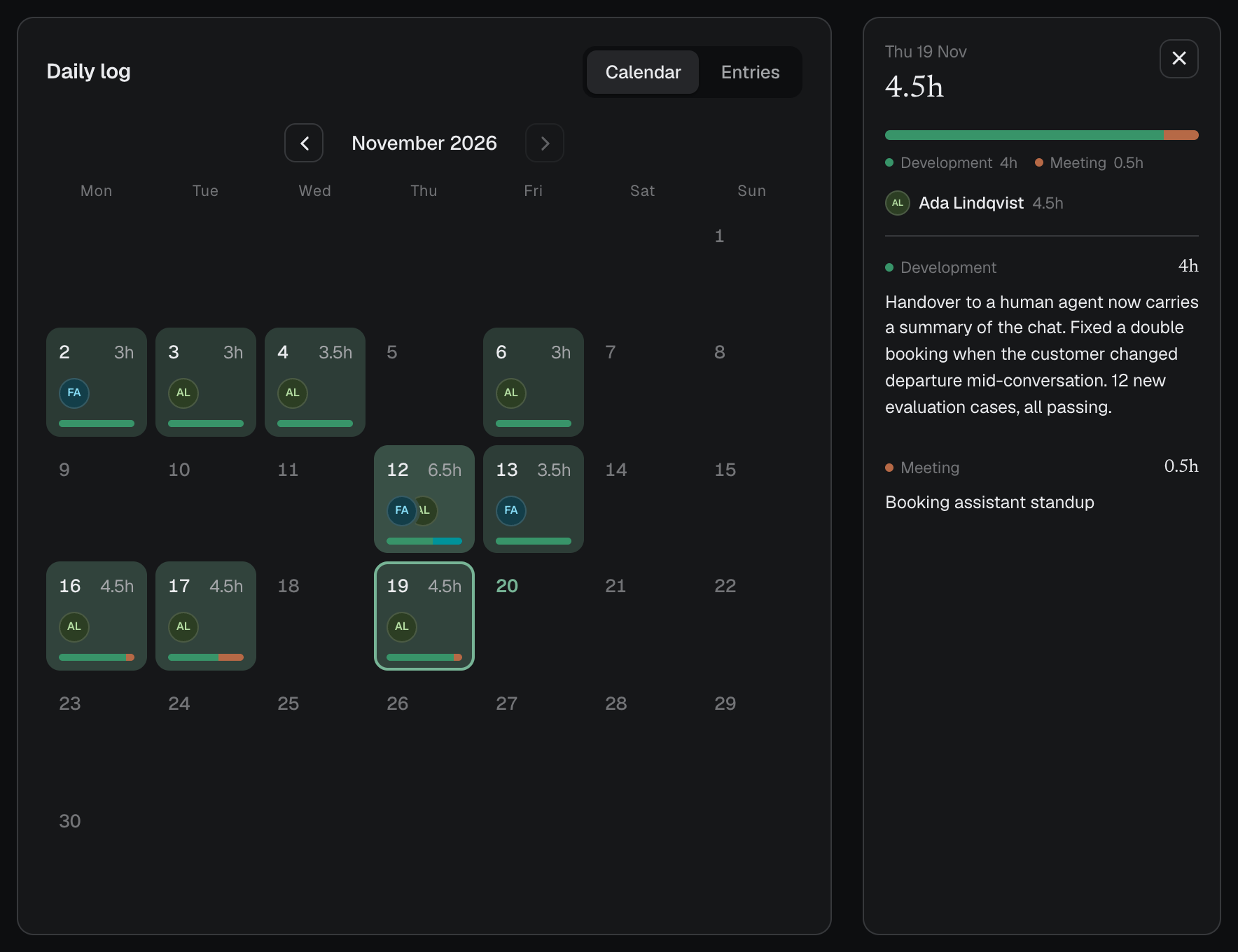
The portal as an invented client contact sees it, with one day opened.
Pointing at the box
It was my first time using Claude Design, and I loved it. Iterating on a UI has traditionally been the troublesome part of working with AI agents, because you end up explaining in words what you are even talking about. In Claude Design you point at the box and fix the problem right there. Hours needed less of that in the end, but for a more complex interface that specificity is really valuable.